
Genevieve Creatives
Back to projects
Community Kajabi Organization

Kajabi community structure

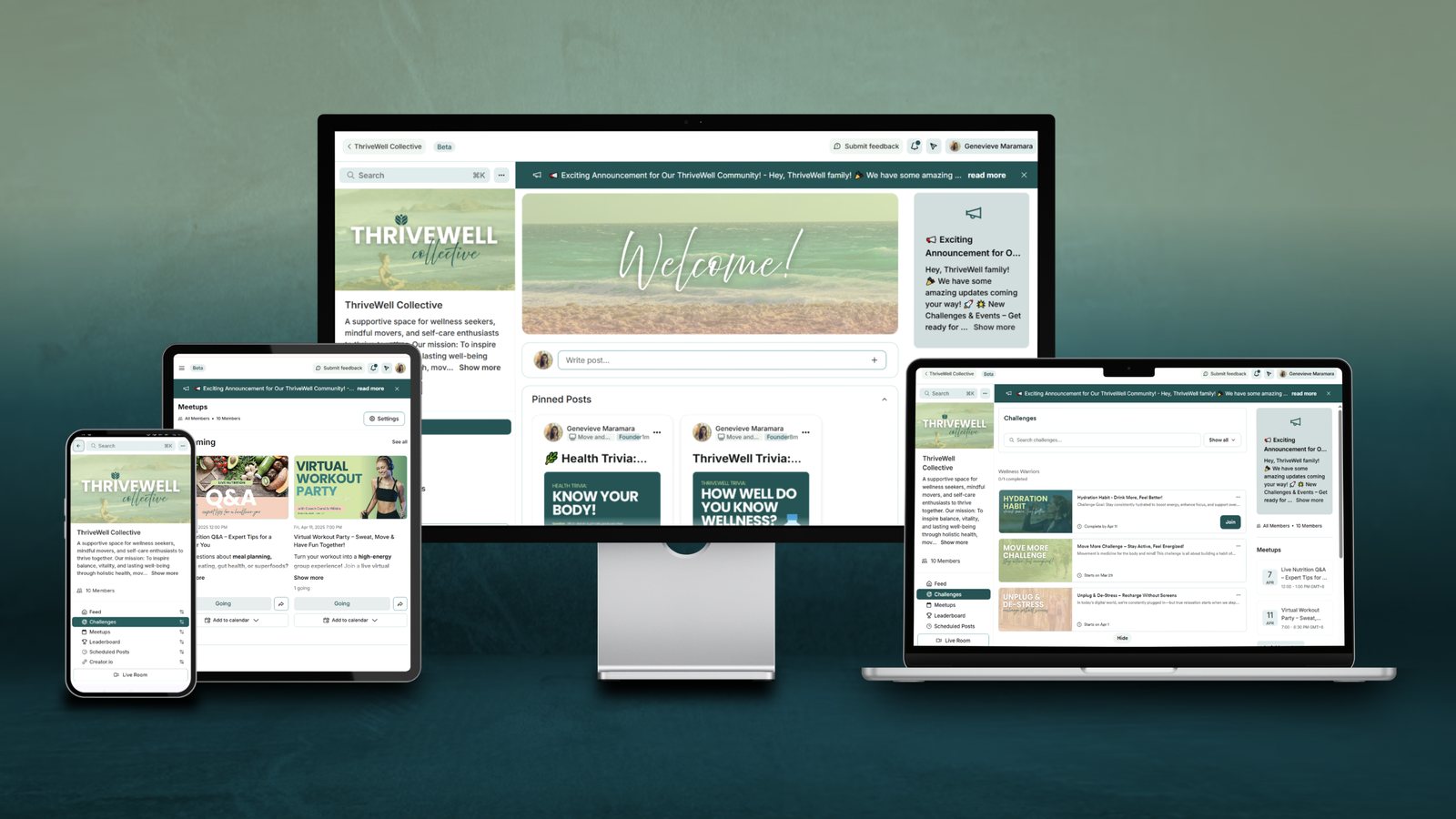
A Kajabi Community built from the ground up. Channels, access groups, onboarding and permissions, organized so members always know where to go.

Category
Community organization
Scope
15+ channels
Platform
Kajabi Communities
My role
Setup, structure, onboarding
ThriveWell Collective Kajabi Community on desktop, laptop, tablet and phone
The project

A community that feels easy to walk into

For this one I set up a whole Kajabi Community from scratch. I organized the channels by topic and purpose, set up tiered access permissions, and built an onboarding experience that actually makes new members feel welcome.

A lot of the work was behind the scenes. The backend had to be easy to scale, moderate and manage, while the front end still had to feel simple and fun for members at every level. This is also kind of my home turf, I've been working in this product since it was still called Vibely.

What I did

My part in it

Everything from the first channel to the welcome post new members see.

01
Created an organized channel structure with clear categories and purposes
02
Set up access groups and permissions for the different membership tiers
03
Designed the member onboarding flow with welcome posts and orientation materials
04
Configured the backend settings for moderation and notifications
05
Wrote the community guidelines and pinned resources so they are easy to find
Results

Outcomes and impact

15+
channels grouped into categories that make sense
Tiered
access system for the different membership levels
Full
admin documentation so the team can run it without me
A smooth onboarding flow that cut down member confusion
Moderation tools and notification settings tuned for good engagement

The challenge

Designing a structure that keeps members engaged but is still easy to moderate, and making sure each membership tier gets the right access without anyone getting confused.

How I solved it

I mapped out a clear permission matrix, made visual guides explaining what each channel is for, and rolled things out in phases. Consistent naming and color coding in the backend made it easy for admins to find their way around.

Tools I used

Kajabi Google Docs Notion Canva

If I did it again

I'd add an automated welcome sequence that kicks in on a member's first login, do member spotlights to boost engagement, and run monthly community challenges.

Want a community people actually show up to?

Whether you're starting fresh or your current one is a bit of a mess, I can help set it up so it runs smoothly.

Hire me on Upwork See all projects